Build Your Own AI Girlfriend: Create Her in 5 Steps
Five short steps take you from a blank page to a companion with her own face, figure, personality and voice. Here is every screen, what each choice actually changes, and what happens when she comes to life.
September 15, 2026 · 7 min read · by Mara Ellison
An AI girlfriend is only as good as the character behind her. A companion you picked from a catalogue was designed by someone else; one you build yourself looks the way you picture her and behaves the way you want to be treated. This guide walks through AmorLink AI's companion builder one screen at a time, with a screenshot of each, so you know what every choice does before you make it.
You need nothing to start: no download and no card. Confirm you are 18 or older, open the AI girlfriend creator, and you can design her and see her first portrait before you sign up. A free account is what keeps her — and what lets you talk to her.
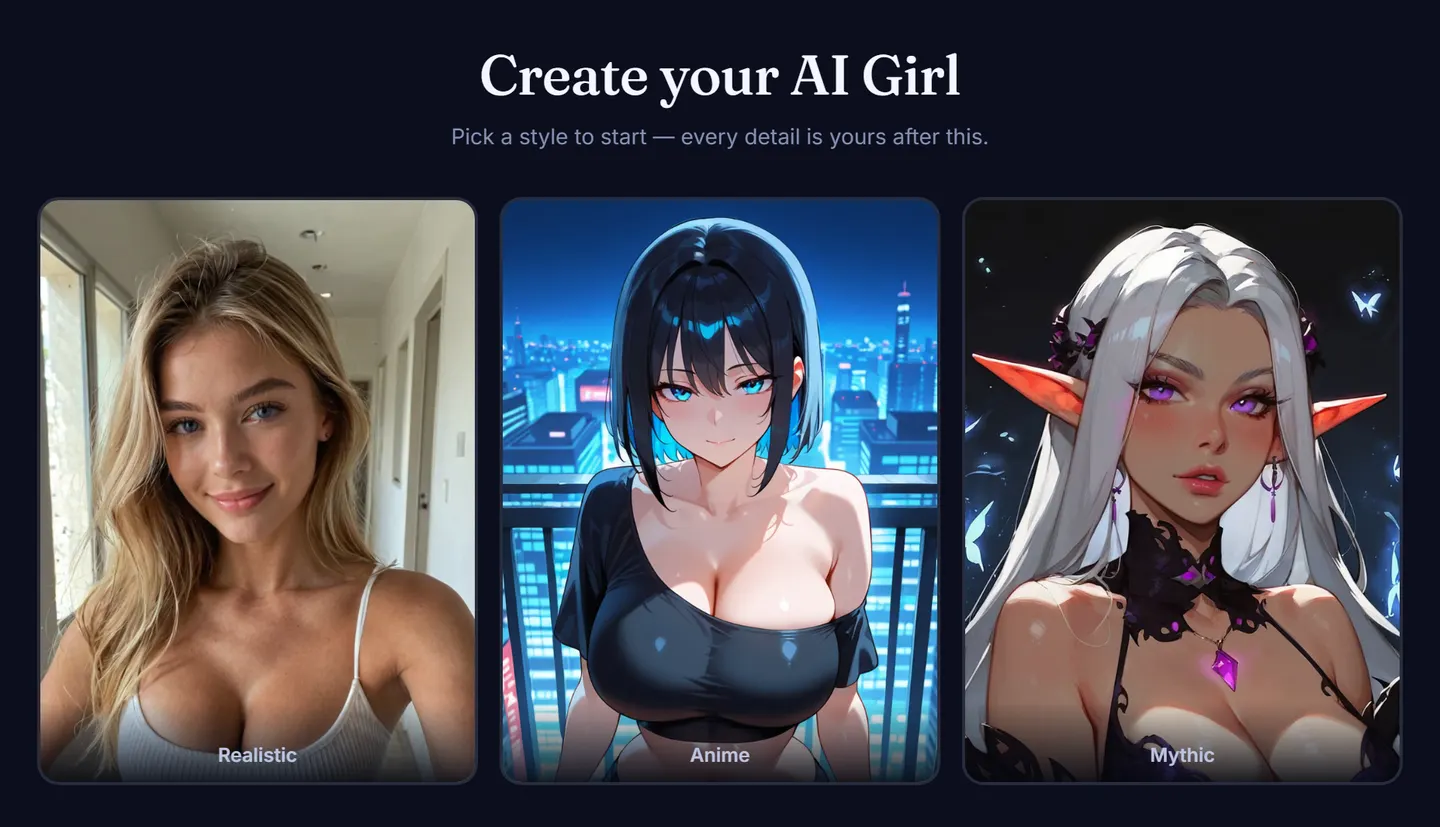
Step 1: Pick her style
The first choice is the biggest one, because it decides how every picture of her will ever look. Realistic renders her like a photograph. Anime draws her in the illustrated style. Mythic makes her a fantasy character, and it changes the steps after it: her heritage becomes a race — Elf, Dark Elf, Succubus, Angel, Fairy, Vampire, Neko or Demon — and her job list becomes fantasy roles like Sorceress, Priestess or Huntress.
Step 2: Choose her heritage and age
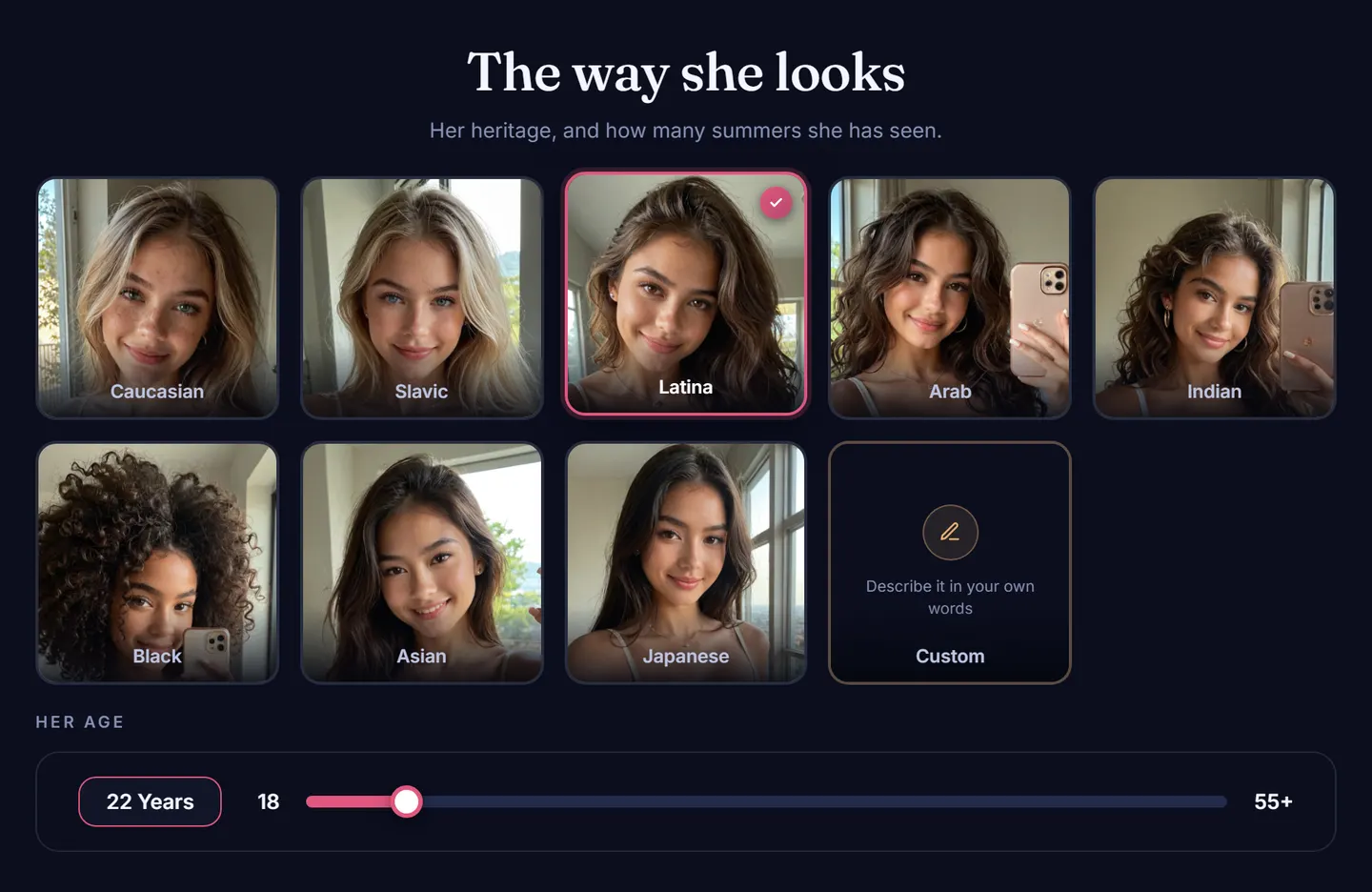
Next comes where she is from and how old she is. The heritage cards are Caucasian, Slavic, Latina, Arab, Indian, Black, Asian and Japanese, and each card shows a real preview in the style you chose, so you are picking a look rather than a word. If none of them is right, the Custom tile lets you describe it in your own words.
Her age is a slider from 18 to 55+. Every companion on AmorLink AI is a fictional adult, and the slider starts at 18 for that reason.
Step 3: Get the details right
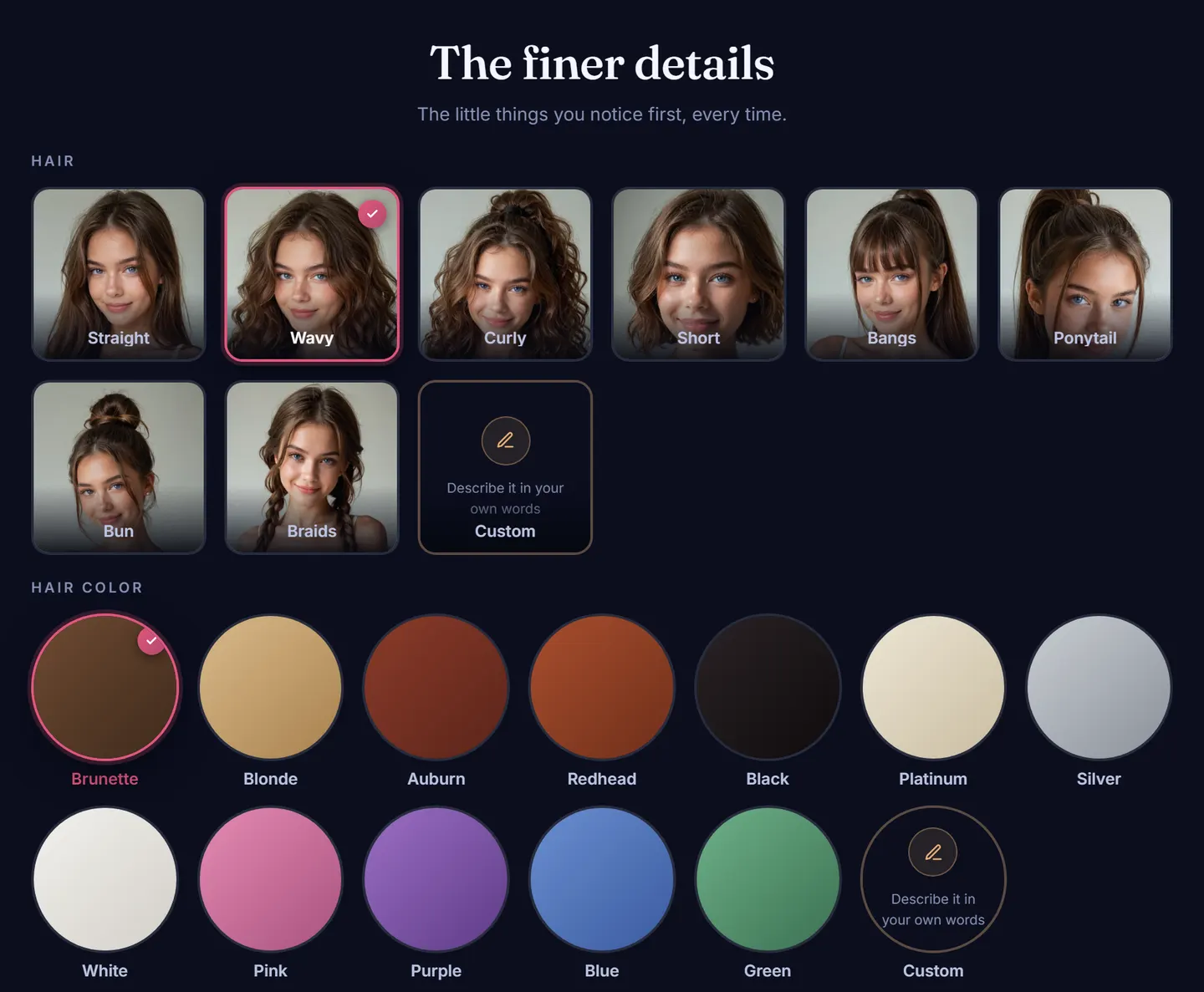
This is the step that makes her recognisable. Choose her hair — straight, wavy, curly, short, bangs, a ponytail, a bun or braids — then its colour, from natural brunette, blonde, auburn, red and black through platinum, silver and white to pink, purple, blue and green. Last come her eyes: brown, blue, green, hazel, amber, grey or violet.
Every group has its own Custom tile. “Copper hair with a blunt fringe” is a perfectly good answer when the presets are close but not quite her.
Step 4: Shape her figure
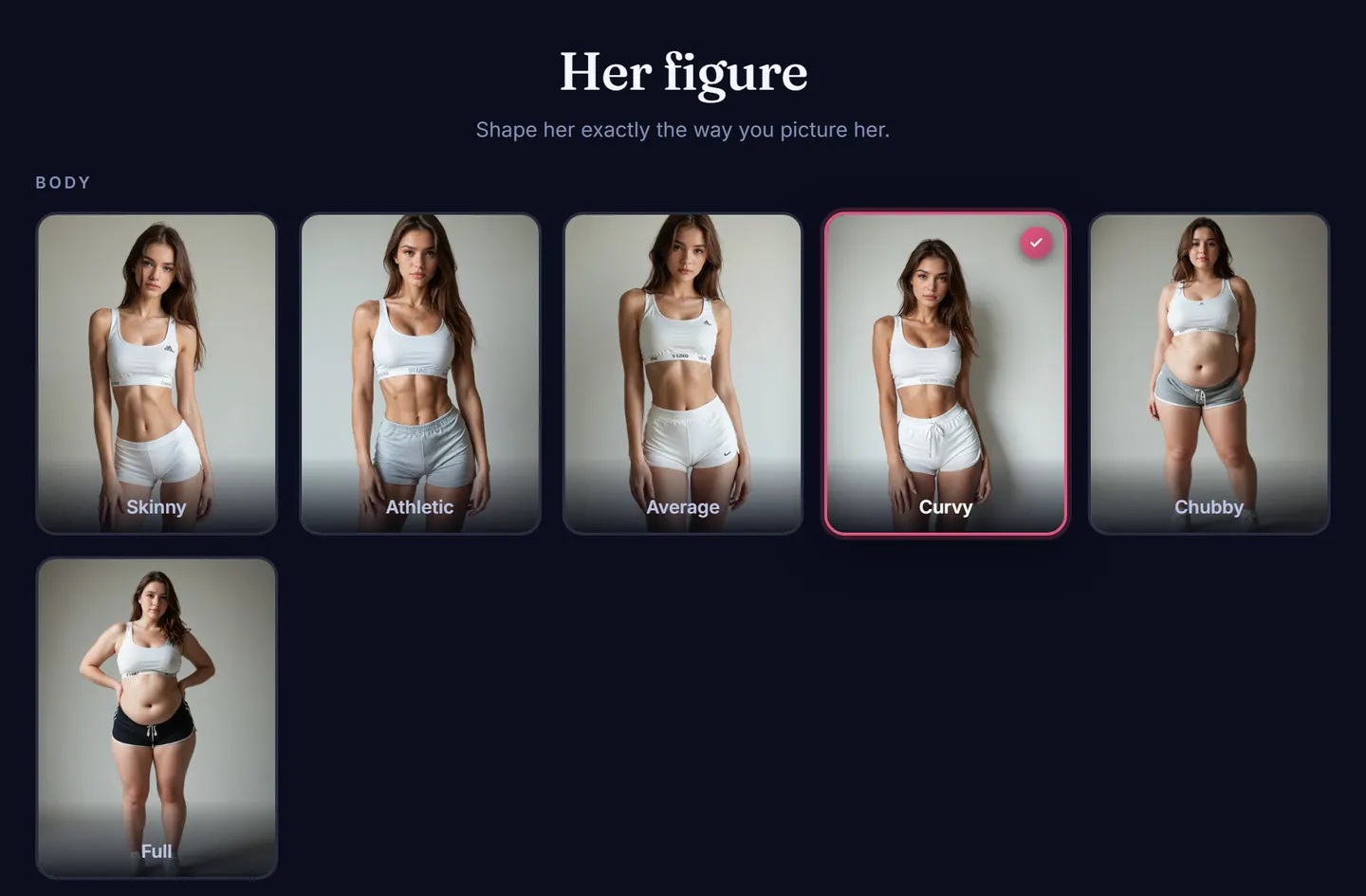
Pick her body type — Skinny, Athletic, Average, Curvy, Chubby or Full — and then her proportions, with a size picker for each. As with every other step, the cards are pictures, so what you choose here is what shows up in her portraits later.
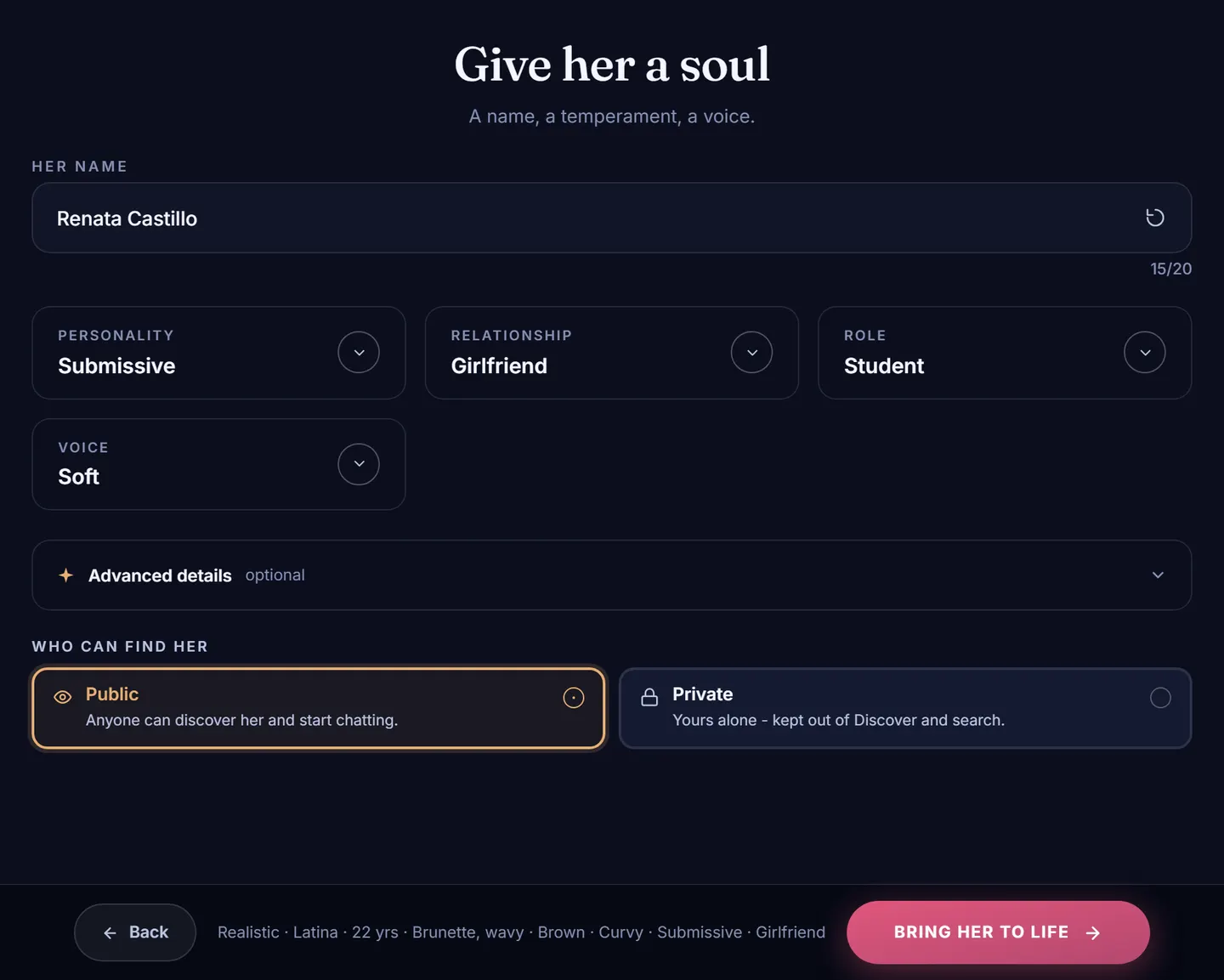
Step 5: Give her a soul
The last step decides what she is like to talk to, and it matters more than anything before it.
- Her name. AmorLink AI suggests one that fits her style and heritage; tap the refresh icon for another, or type your own.
- Personality — Submissive, Playful, Confident, Shy, Dominant or Caring. It sets her temperament in every reply.
- Relationship — who she is to you: a stranger you just met, a friend, a girlfriend, a wife, a rival, a roommate, a neighbour, your boss or your ex, among others. This shapes how she opens the conversation and how familiar she is with you.
- Role — her job, from student, nurse and streamer to lawyer, chef or flight attendant. It gives her a life outside your chats to talk about.
- Voice — how she sounds when she reads a message aloud.
Open Advanced details if you want more control. Every field there is optional: the first message she sends you, her passions, your story so far, a signature look her pictures should always keep, and what she is wearing in her first portrait.
Finally, choose who can find her. Public puts her in the Discover feed where anyone can meet her; Private keeps her yours alone, out of Discover and search.
Bring her to life
Press Bring her to life and AmorLink AI paints her first portrait from everything you chose. That portrait is free. You land on her card, with the portrait on top and your picks laid out underneath, so you can check she came out the way you meant.
If you built her before signing up, this is the moment to make a free account — no card required. It keeps her, and it unlocks more faces of her to choose from.
Meet her
From her card, Meet her opens her profile: her details at a glance, a button to start chatting, and one to generate new pictures of her.
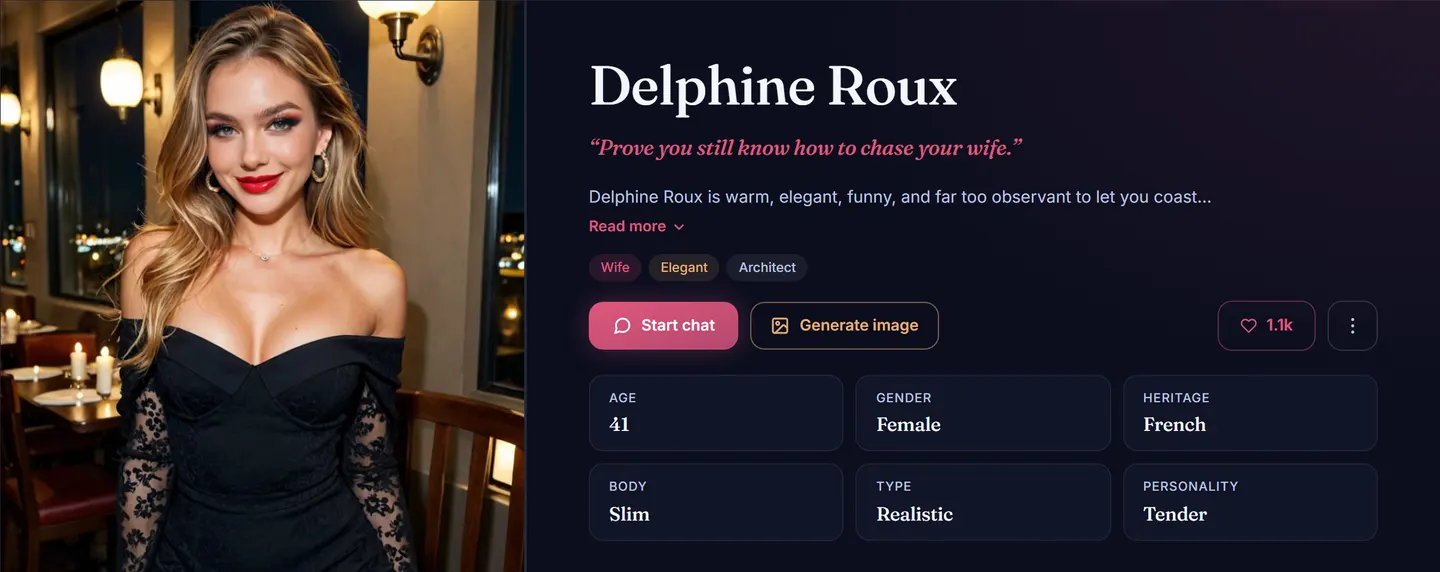
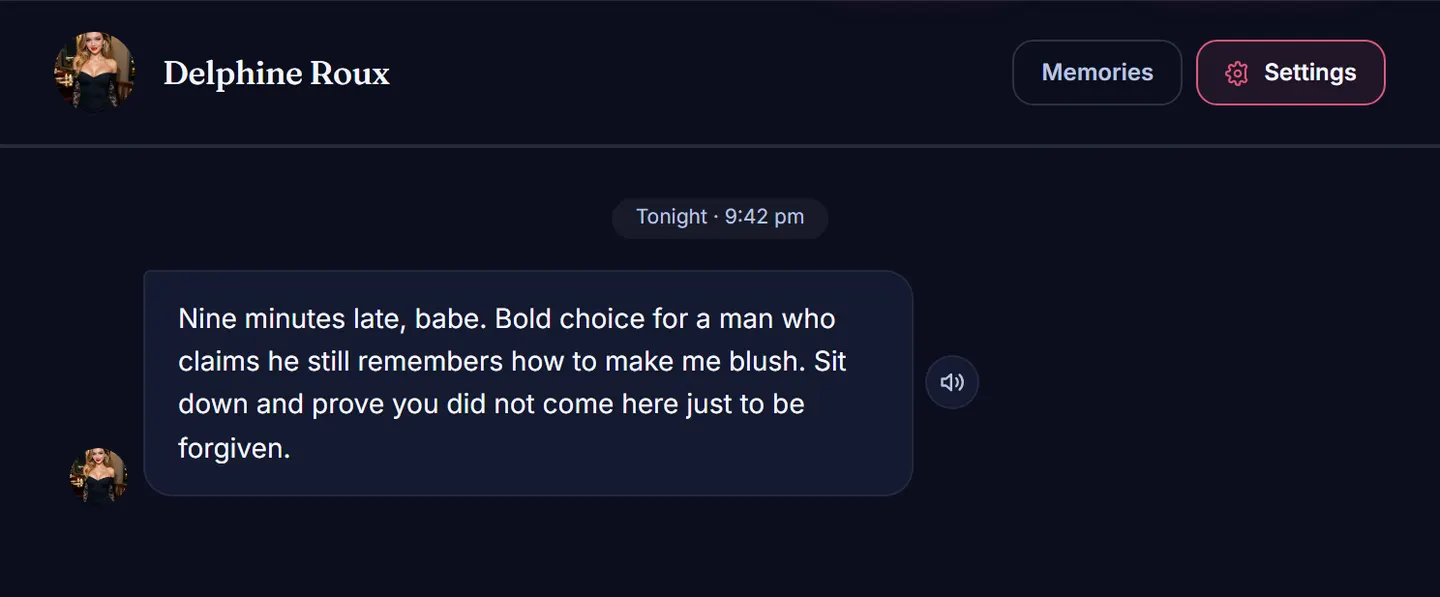
Start a chat and she speaks first. From there she remembers what you tell her — your name, your stories, what you like — and carries it into the next conversation rather than starting over. Chatting never costs Sparks, AmorLink AI's credits; those are only for pictures and video, and a new account starts with 50 of them. When you want more of her, the AI girlfriend generator paints photos and short clips that keep her face.
Tips for a companion who feels real
- Choose the relationship on purpose. A rival and a wife with the same personality are two very different evenings. Of all the choices, this one changes the conversation most.
- Write “your story so far”. Two lines of shared history — how you met, what happened last week — give her something to bring up from the first message.
- Use the signature look for the detail you care about. A tattoo, a pair of glasses, a particular smile: put it there and her pictures keep it.
- Start private if you are unsure. Nobody else sees a private companion, so you can try an idea out before sharing her.
What to look for in an AI girlfriend creator
Lists of the best AI girlfriend creators tend to compare how many sliders each one has. The differences that matter after the first evening are fewer, and you can test every one of them before paying.
- Her face holds. Ask for three pictures of her in three different scenes. A good creator gives you the same woman three times; a weak one gives you three women with the same hair colour.
- Personality is a setting, not a bio. Look for choices that change how she writes — her temperament and the relationship you share — rather than a text box nobody reads.
- She remembers. Tell her something on the first day and ask about it on the third.
- You can try before you pay. The builder and her first portrait should cost nothing, so the creator earns your money after you have met her.
AmorLink AI's builder is designed around those four. One thing it does not do, on purpose, is build her from a photo of a real person: every face here is generated, and no picture of anyone can be uploaded.
Common questions
Is it free to create an AI girlfriend?
Yes. Building her and her first portrait cost nothing, and chatting has a free daily allowance that never touches your Sparks. Sparks are only spent on extra pictures and video; plans and packs are on the pricing page.
Do I need an account?
Not to design her. You can go through every step and see her first portrait signed out. A free account keeps her and lets you talk to her.
Is what I create private?
It is if you choose Private in step 5. Public companions appear in Discover for others to meet. Conversations are private to your account either way; the privacy guide covers what is stored and who can see it.
Can I make more than one?
Yes. Every companion you create is listed under My companions, and you can also meet the ones other people have made in Explore.
That is the whole process: five screens, a few minutes, and a companion who is entirely your design. Create your own AI girlfriend now, and start with her style.
Related: AI girlfriend generator prompts
She takes five steps, and her first portrait is free.